
Short answer: integrating WhatsApp with your CRM means connecting the conversations from the channel where deals actually move forward, so they get logged against the right contact, with tasks and data filled in automatically. And for consultative sales, the best way to do it isn't the official API — it's capturing the WhatsApp your reps are already using.
In LATAM, a large share of B2B sales happens on WhatsApp. That's where deals get coordinated, negotiated, and closed. But it's also where they get lost: when the conversation lives on a rep's personal phone, the company has no record, the manager has no context, and if that person leaves, the customer's history leaves with them.
In this guide we look at why closing that gap matters, why the official API isn't the right path for consultative sales teams, what can be automated, and how to do it without slowing your team down.
Quick summary:
- If the history lives on a personal phone, it's a business-continuity risk.
- WhatsApp's official API is built for bulk and transactional messaging, not consultative sales.
- You can automate logging, tasks, deal fields, and risk signals — no templates, no per-message cost.
- Adoption comes down to transparency: what gets captured, and why.
Why can't WhatsApp stay outside the CRM?
- Continuity risk: if the history lives on a personal phone, you lose the customer the moment you lose the rep.
- Zero visibility: the manager builds the forecast without knowing what was said on the channel where the deal is actually moving.
- Split context: part of the conversation happened on the video call, part on WhatsApp, part over email. Without pulling it together, nobody sees the full picture.
- Impossible handoffs: when someone goes on vacation or switches accounts, whoever picks up the deal starts from zero.
What are your options for integrating WhatsApp with the CRM?
The official WhatsApp Business API: good for marketing, bad for consultative sales
This is the option almost every guide online recommends. And for what it was built for, it works well: transactional and bulk messaging — notifications, campaigns, multi-agent support on a corporate number. The model runs on templates pre-approved by Meta and a cost per conversation.
The problem is that consultative selling doesn't work that way. It's a personalized, one-on-one conversation between the rep and the customer, from the number the customer already knows. And with long sales cycles, a rep might go three days without talking to a prospect. So what do they do with the API? Send a pre-approved template asking how the proposal is coming along, with the company paying the per-conversation cost for that one message? The template format kills the exact thing that makes WhatsApp work for sales: closeness.
Multi-agent support platforms
Built on that same API, designed for support and high ticket volume. They work when many people handle one shared number, but they inherit the same limitations for consultative sales and aren't built to read the state of a deal.
Conversational analysis on the rep's own WhatsApp
The third path flips the approach: instead of changing the channel your team sells on, it captures and analyzes the one they already use. The rep keeps chatting as usual, from their own number, with no templates and no per-message cost; on the other end, the conversation gets logged against the right contact, analyzed, and fed into the CRM. That's Samu's approach — the one that makes sense when what you're after isn't running campaigns, but understanding how each deal is actually going.
What can you automate once it's integrated?
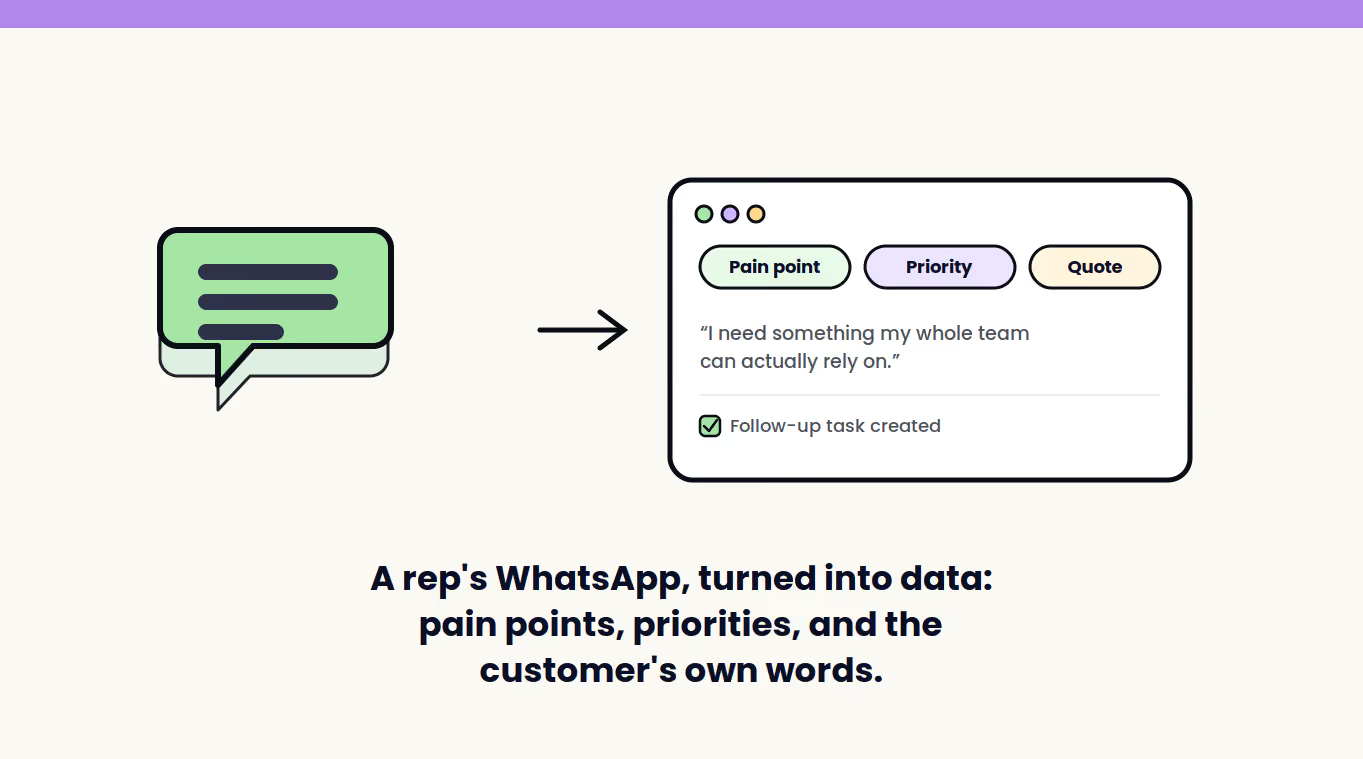
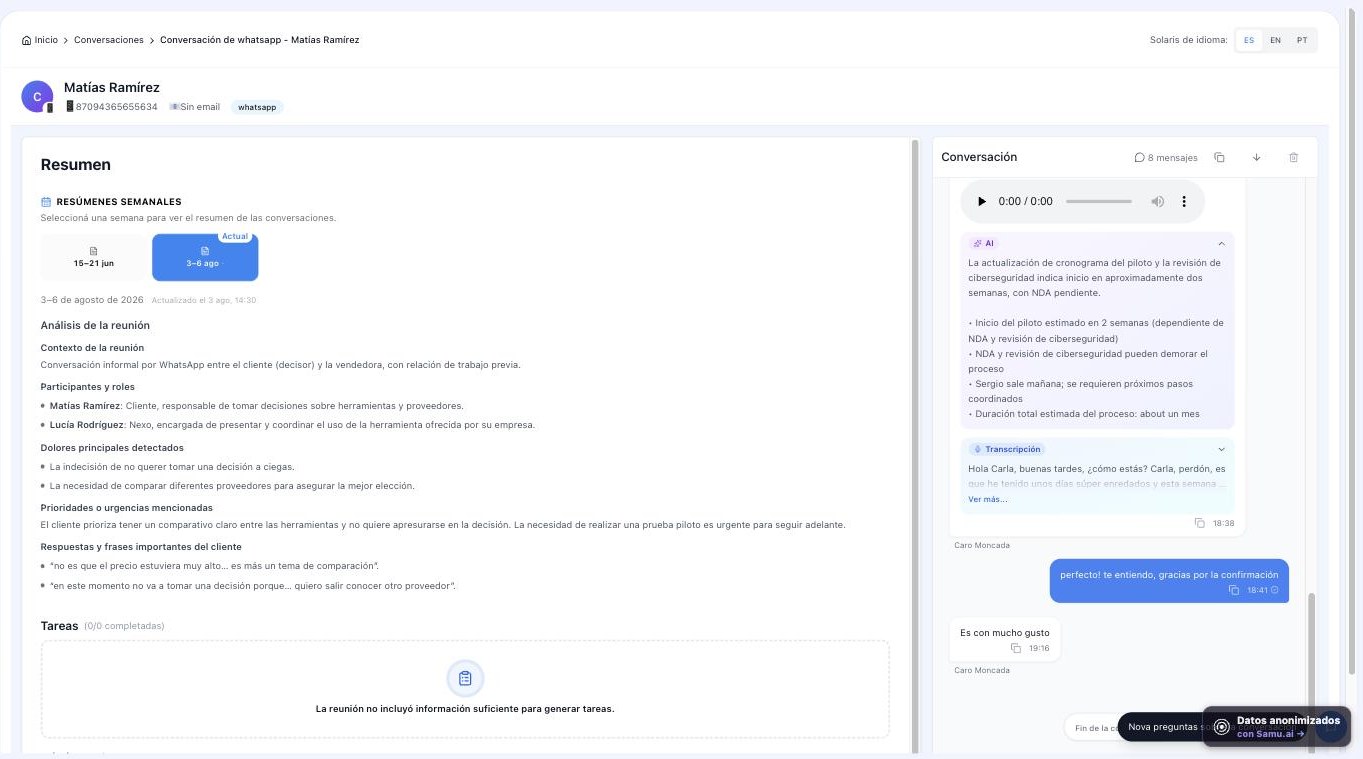
With a WhatsApp-to-CRM integration, every relevant conversation gets logged against the right contact, tasks and reminders get created from what was agreed on, key data (customer pain points, budget, objections, competitors mentioned) gets filled into the deal's fields, and the manager sees objective signals: response times, messages read but not answered, deals with no activity in days.
"The WhatsApp someone read but never answered says more about the state of a deal than most CRM notes ever will."
How does Samu do it?
Samu connects to WhatsApp alongside your video and phone calls, and analyzes those conversations the same way it analyzes a meeting: it transcribes them (voice notes included), understands LATAM Spanish context, and sends notes, tasks, and data to your CRM (HubSpot, Salesforce, Pipedrive, Zoho, or Freshsales) automatically. No templates, no per-conversation cost, and no changing the number your team sells from: the rep keeps using WhatsApp like always; the company gets the record, and the manager gets visibility.
If you want the full picture on CRM integration beyond WhatsApp, we cover it in how to integrate sales AI with your CRM.
Implementation best practices
- Be transparent with the team. Explain that the goal is not losing information or opportunities — not monitoring personal conversations.
- Define what's relevant. Not every message needs to go into the CRM: configure what gets captured and what doesn't.
- Separate personal from business. Working with company numbers or lines avoids gray areas.
- Protect the data. Work with a provider that takes security seriously (Samu holds SOC 2 Type II), and check your country's privacy requirements with your legal team.
Frequently asked questions about WhatsApp and CRM
Do I need the official WhatsApp Business API?
Not for consultative sales. The API is built for bulk and transactional messaging, with pre-approved templates and a cost per conversation — a model that doesn't fit the one-on-one conversation of a long sales cycle. Samu captures the WhatsApp your reps already use, with no templates and no API costs.
Can you log WhatsApp conversations without invading the rep's privacy?
Yes, if you define the scope: conversations with business contacts get captured, not personal chats. The clearest approach is using company lines and communicating in writing what gets logged and why.
Does this work for teams that sell only through WhatsApp?
Especially for them. If your main channel is WhatsApp and it's not in the CRM, practically your entire sales process is invisible to the company: no reliable forecast, no real coaching.
What about WhatsApp voice notes?
They're a core part of selling in LATAM and, handled well, an extremely rich source of information. Samu transcribes and analyzes them just like a call, instead of leaving them as files nobody ever listens to again.
How do I keep the team from feeling controlled?
Show the benefit from the rep's side: not having to retype the same thing into the CRM, not losing track of a commitment, having the history when they come back from vacation. Once the first thing a manager does with that data is coach rather than call people out, resistance fades fast.
Conclusion
WhatsApp is already your sales channel, whether it's in the CRM or not. The difference is whether that conversation becomes a company asset — logged, visible, and actionable — or stays on a phone until it disappears. And the path isn't forcing your team to sell with templates: it's capturing the real conversation that's already happening.
Want WhatsApp conversations to land in the CRM on their own? Try Samu with your team, with a guarantee: if you don't see value, you don't continue. Request a Samu demo or check out plans and pricing.